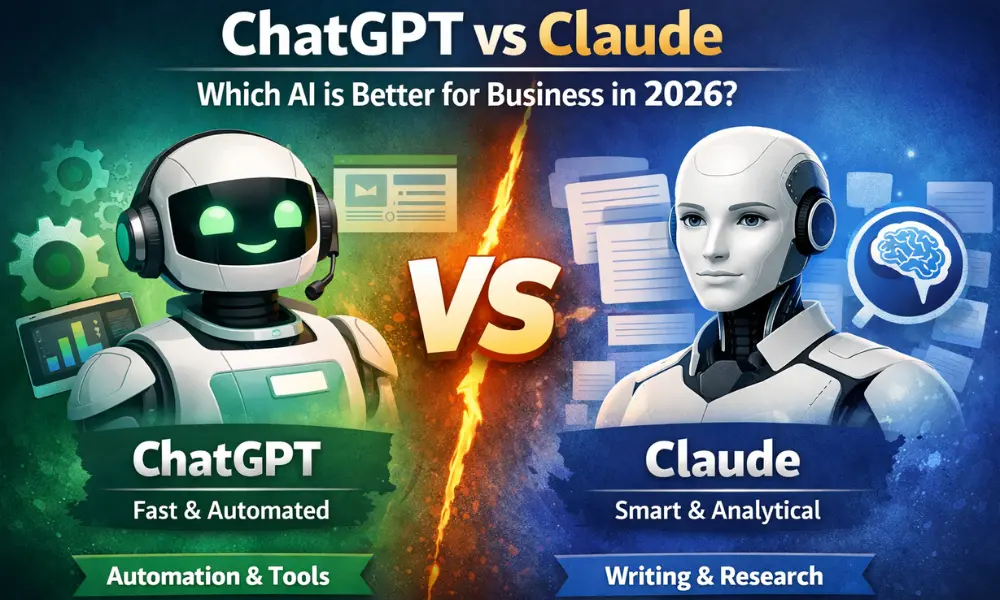
Choosing your first AI content writing tool often comes down to two major contenders: OpenAI’s ChatGPT and Anthropic’s Claude. While both platforms generate impressive text, their underlying architectures, tone defaults, context windows, and feature sets create wildly different writing workflows.
As a technical content strategist, I spent three months testing both tools across dozens of realistic writing tasks—from outline generation and long-form drafting to copy editing and SEO optimization. Below is an practical, hands-on comparison designed to help beginner content creators, bloggers, and marketers pick the right tool for their workflow.
Quick Comparison: ChatGPT vs. Claude at a Glance
Before diving into granular testing, here is a breakdown of how ChatGPT and Claude compare across core content creation features:
| Feature / Capability | ChatGPT (GPT-4o / Free & Plus) | Claude (Claude 3.5 Sonnet / Free & Pro) | Winner for Beginners |
| Natural Writing Voice | Direct, structured, occasionally robotic | Nuanced, conversational, human-like flow | Claude |
| Web Research & Live Links | Integrated via Native Web Search | Limited (Requires manual uploads or API integrations) | ChatGPT |
| Context Window Size | Standard (128k tokens) | Massive (200k tokens / ~150,000 words) | Claude |
| Visual Artifacts UI | Standard chat feed | Split-screen workspace for live doc editing | Claude |
| Data Analysis & Files | Advanced Data Analysis (Python execution) | PDF/Text file analysis without code execution | ChatGPT |
| Ease of Learning Curve | Intuitive, all-in-one ecosystem | Minimalist, focused strictly on text/code | Tie |
[SCREENSHOT/IMAGE PLACEHOLDER: Side-by-side screenshot comparing the user interfaces of ChatGPT and Claude with open writing drafts]
1. Output Quality and Writing Style: Prose vs. Precision
When you are starting out, the default tone of an AI model dictates how much time you will spend editing. A model that outputs dense jargon or repetitive transition phrases requires heavy manual rewrites.
Human-like Nuance and Flow (Claude’s Specialty)
In my testing, Claude (specifically the Claude 3.5 Sonnet model) consistently produced superior long-form prose. It naturally avoids cliché filler phrases like “In today’s fast-paced digital landscape,” “delve,” or “game-changer”—phrases that frequently plague default ChatGPT outputs.
Claude excels at:
-
Varied Sentence Structure: Alternating short, punchy statements with descriptive, complex sentences.
-
Tone Matching: Adopting specific brand voices (e.g., authoritative, humorous, empathetic) with minimal prompt engineering.
-
Cohesion Across Sections: Maintaining consistent logic and narrative style throughout a 2,000-word piece.
Structured Clarity and Bulleting (ChatGPT’s Core Strength)
ChatGPT shines when you need tight structure, rigid adherence to outlines, or fast summarization. Its default voice is direct, analytical, and highly structured.
ChatGPT excels at:
-
Formatting Lists: Generating cleanly bulleted key takeaways, specs, and step-by-step instructions.
-
Drafting Outlines: Creating logical, hierarchical headers (H2, H3, H4) that follow explicit SEO rules.
-
Direct Instruction Following: Strictly adhering to specific output constraints, such as character limits or specific word counts.
Example Prompt Test: "Write a 150-word introduction about home coffee brewing."

ChatGPT Result: Focuses heavily on bullet points, structured benefits, and direct statements.
Claude Result: Crafts a smooth, narrative-driven lead with engaging sensory details.
2. Long-Form Drafting and Context Retention
Content writers rarely produce single-paragraph responses. Blog posts, whitepapers, and guides require AI models to retain context over thousands of words without repeating themselves or losing track of earlier instructions.
[SCREENSHOT/IMAGE PLACEHOLDER: Claude’s Artifacts feature showing an active side-by-side editing panel with a draft article]
Managing Massive Docs with Claude’s Artifacts
One of Claude’s primary advantages for beginners is its Artifacts feature. When you ask Claude to write a long-form article, code snippet, or outline, it opens a dedicated side-by-side window next to your chat panel.
This workspace offers three clear operational advantages:
-
Isolated Edits: You can ask Claude to tweak paragraph 3 in the chat without re-rendering the entire 1,500-word article in the message feed.
-
Version Control: You can quickly toggle between earlier drafts and updated revisions.
-
Copy Readiness: Exporting or copying formatted Markdown text is seamless and cleanly separated from chat conversation notes.
Additionally, Claude’s 200,000-token context window allows you to upload entire eBooks, brand guidelines, or 10 competitor articles simultaneously to ground its writing in specific source material.
ChatGPT’s Custom GPTs and Memory
ChatGPT counters Claude’s context window with Custom GPTs and a persistent Memory system. As a beginner, you can create a custom version of ChatGPT pre-loaded with:
-
Your brand’s tone-of-voice documentation.
-
Target audience personas.
-
Explicit negative constraints (e.g., “Never use words like ‘delve’ or ‘seamless'”).
Once configured, every conversation started within that Custom GPT automatically enforces those preferences without requiring long initial prompts.
3. SEO Capabilities, Web Research, and Fact-Checking
An AI assistant should do more than just write prose; it must support topic research, keyword integration, and accurate fact-checking.
Live Search and Keyword Integration
ChatGPT holds a clear edge in real-time information retrieval due to its built-in web search capabilities. When drafting content on fast-moving topics, ChatGPT can fetch real-time search engine results pages (SERPs), synthesize competitor information, and extract current statistics.
When executing an SEO workflow in ChatGPT:
-
Prompt ChatGPT to analyze top-ranking pages for your target keyword.
-
Ask it to extract semantic entities and secondary keywords.
-
Direct it to incorporate those keywords into your draft outline naturally.
[SCREENSHOT/IMAGE PLACEHOLDER: ChatGPT actively searching the web to pull current data points for an article outline]
Fact-Checking and Hallucinations
Both models can occasionally produce plausible-sounding inaccuracies (hallucinations). However, their failure modes differ:
-
ChatGPT: Tends to confidently cite non-existent sources or hallucinate specific URL structures if web access is disabled.
-
Claude: Admits lack of real-time knowledge more readily, but will hallucinate facts if pushed to analyze outdated information without provided source texts.
Best Practice for Beginners: Never ask either model to state facts from memory for technical or medical topics. Always paste the raw reference text into the prompt window and instruct the model: “Synthesize the provided text only. Do not add outside information.”
Step-by-Step Guide: Building an Article Creation Workflow
To get the best performance out of either platform, avoid asking for a full article in a single prompt. Instead, execute a phased workflow to maintain editorial control.
Phase 1: Keyword Research & Ideation -> Phase 2: Outline Generation -> Phase 3: Section-by-Section Drafting -> Phase 4: Editing & Polish
Step 1: Research and Structural Outlining
Start by building a clear structural foundation. ChatGPT is ideal for this phase if you need real-time web research, while Claude is superior if you already have reference PDFs or source articles.
-
Input Your Target Topic: Provide the core keyword, audience level, and primary goal of the article.
-
Generate Subsections: Request H2 and H3 suggestions based on search intent.
-
Refine Structure: Eliminate redundant headers and ensure logical progression.
Step 2: Drafting Section by Section
Never prompt: “Write a 2,000-word article on X.” AI models degrade in quality, skip nuances, and overuse generic phrases when forced to produce massive token outputs at once.
Instead, prompt section by section:
-
Request the introduction, providing explicit tone guidelines.
-
Review, edit, and approve the intro.
-
Feed the intro back into the context window, then prompt for the first H2 section.
Step 3: Editing and Polish Pass
Once the raw draft is assembled, switch to Claude for the final polish pass. Claude’s voice modulation capabilities make it adept at humanizing stiff prose.
Use this refactoring prompt:
“Rewrite the following text to improve cadence and readability. Vary sentence lengths, remove passive voice, and eliminate overused buzzwords like ‘game-changer’, ‘delve’, or ‘revolutionize’. Keep all core technical facts intact.”
Real-World Case Study: Refreshing an Outdated Blog Post
To test real-world utility, I used both tools to update an outdated 1,000-word tutorial on “Setting Up a Local WordPress Environment.”
[SCREENSHOT/IMAGE PLACEHOLDER: Side-by-side text comparison showing ChatGPT’s output vs. Claude’s rewritten output for the case study]
The Goal
Take a legacy technical article, update outdated software version references, expand thin sections, and polish the tone for a beginner audience.
Execution with ChatGPT
-
Process: I enabled ChatGPT’s web access and asked it to search for current installation steps for local development tools (Local, XAMPP, DDEV).
-
Outcome: It accurately identified current software requirements, updated command-line examples, and generated a clean setup table in under two minutes.
-
Drawback: The surrounding text was overly formal and relied on repetitive passive constructions.
Execution with Claude
-
Process: I uploaded the original article as a
.txtfile along with modern software documentation PDFs into Claude 3.5 Sonnet. -
Outcome: Claude created an engaging, conversational, and highly readable update in Artifacts. It formatted code snippets cleanly and added intuitive troubleshooting tips between steps.
-
Drawback: It could not independently verify if a specific software download link was active without user-provided source text.
The Winning Hybrid Workflow
The test proved that combining both tools yields the highest output quality:
-
Use ChatGPT to run live search queries, extract keywords, and gather updated facts or technical specifications.
-
Feed those raw facts into Claude to handle content outlining, narrative drafting, and stylistic editing.
Common Pitfalls and How to Avoid Them
Even experienced creators run into common traps when using AI writing assistants. Here is how to troubleshoot the three most frequent issues beginners face.
Problem 1: Repetitive, Generic AI Voice (“AI Glaze”)
-
Symptom: Content reads like a generic textbook, featuring repetitive transitions (“Furthermore,” “Moreover,” “In conclusion”) and fluff adjectives.
-
Fix: Give the model a Negative Constraint List in your initial system prompt. Explicitly state: “Do not use the following words: delve, robust, landscape, seamless, harness, elevate, game-changer, testaments.”
Problem 2: Hallucinated Citations and Data
-
Symptom: The AI cites a statistic or study that sounds convincing but does not exist.
-
Fix: Require strict source attribution. Prompt: “Whenever you state a statistic or factual claim, insert a placeholder tag like [Needs Citation: Source Topic]. Only use statistics explicitly present in the provided source text.”
Problem 3: Context Loss in Long Threads
-
Symptom: By prompt #10 in a long chat session, the AI forgets your original formatting instructions or tone requirements.
-
Fix: Re-ground the model. Start a new session every 3–4 prompts, or paste a brief “State Summary” block at the start of your request:
“Context: We are writing an SEO guide for beginners. Tone: Friendly and technical. Current task: Draft the H2 section on internal linking strategies.”
The Verdict: Which AI Assistant Should You Choose?
If you are a beginner looking for a single tool to handle your entire content workflow, Claude (Claude 3.5 Sonnet) is the better dedicated writing assistant. Its natural sentence cadence, superior context handling, and Artifacts interface make drafting and editing long-form articles faster and significantly more engaging.
However, if your writing process depends heavily on real-time internet research, search engine analysis, and custom automated bots, ChatGPT remains an essential utility.
For the absolute best results, consider a hybrid approach: leverage ChatGPT’s live research to build data-backed outlines, then pass those materials to Claude to write clear, compelling prose that resonates with human readers.